
Video Voice Editor + Effects
FirehawkMusic & Audio
4.5632.00 Reviews
- Version
- 1.5.2
- Installs
- 10.00M
- Age Rating
- Everyone
Screenshots
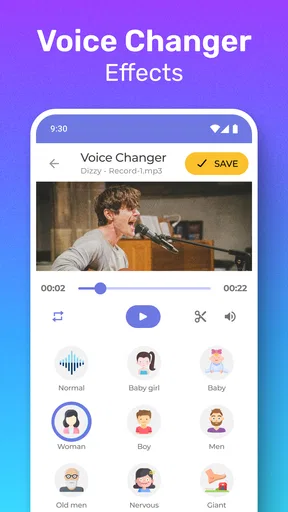
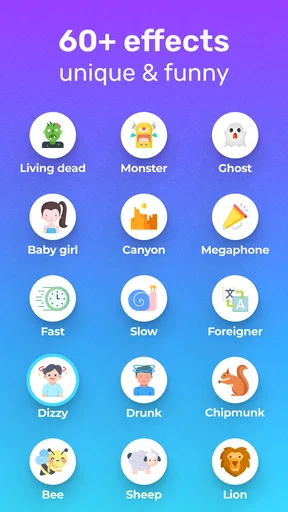
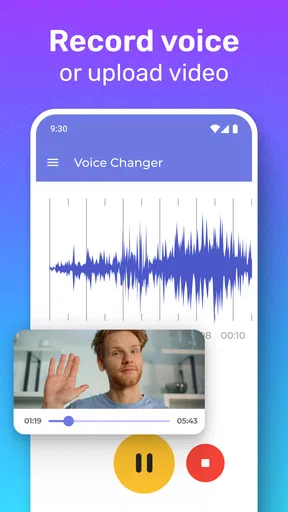
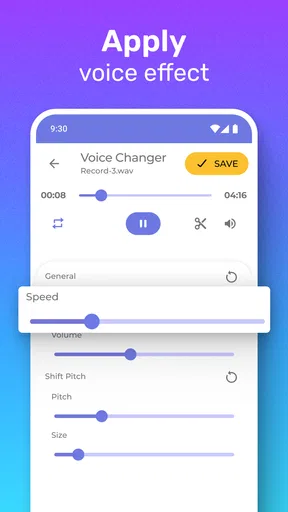
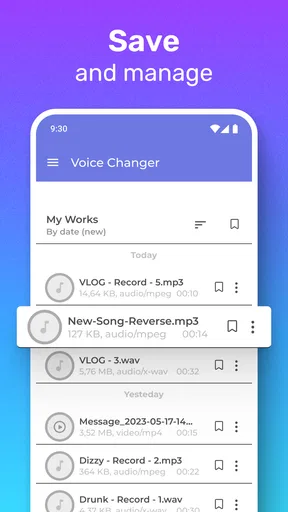
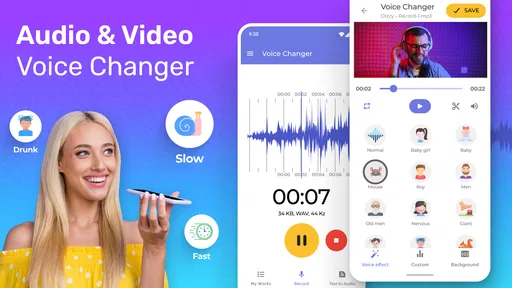
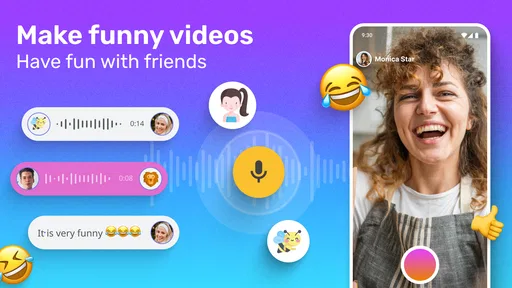
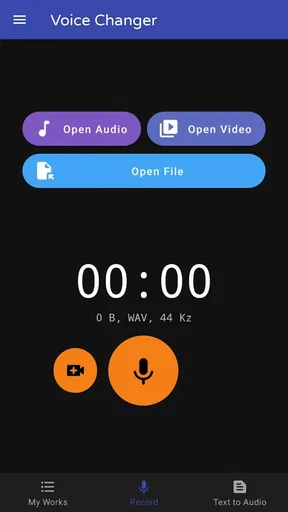
Our Review of Video Voice Editor + Effects
 Analysis by Appyee
I like the idea behind Video Voice Editor + Effects: changing how a video sounds without turning a quick edit into a desktop production project. It is a straightforward creative tool from Firehawk in the music and audio space, aimed at people who want to reshape a voice track and then use the result in a video. Its appeal is practical rather than professional: it gives casual creators room to experiment, while keeping the basic task approachable.
What to expect from a voice-effects workflow
When I’m editing a short clip, I want to hear whether an effect helps the moment, not spend ages hunting through controls. A voice editor is most useful when it lets me compare a few treatments against the same spoken line: a playful pitch shift for a joke, a more spacious sound for a dramatic reveal, or a deliberately synthetic tone for a character. The important part is choosing an effect that supports the clip instead of piling on changes just because they are available.
One practical trick is to record or choose a short test passage before working through a longer video. A sentence with clear consonants and a little variation in pitch makes it easier to judge whether the voice remains understandable after processing. I would listen once on headphones and once through the phone speaker, since an effect that sounds impressive in isolation can become muddy on a small speaker. That check is especially useful for clips meant to be watched in a busy feed.
For a quick social post, I’d also decide on the intended mood before editing. A comic voice can be fun in a birthday greeting or a private group chat, but it may distract from instructions or a personal story. The effect should be a deliberate accent, not a substitute for clear recording. Starting with a quiet location and speaking close enough to the microphone usually gives voice processing more to work with than trying to rescue noisy audio later.
Where it fits among mobile editing options
Video Voice Editor + Effects sits between a general video editor and a dedicated audio workstation. A full video editor is often the better choice when I need to arrange many shots, add captions, trim scenes precisely, or balance music against dialogue. A specialist audio tool is a stronger fit when I need detailed control over recording, cleanup, or a finished mix. This app’s more focused premise is useful when the voice itself is the creative element and I want to make a change without building a large project around it.
That focus is also a trade-off. A voice effect can alter tone, but it does not automatically make a recording sound polished or make every voice fit every effect. If I’m making a tutorial, interview, or work presentation, intelligibility matters more than novelty; I would keep the treatment subtle or use a conventional editor that makes dialogue levels and the rest of the soundtrack easier to manage. For a character bit, a reaction clip, or a playful message, experimenting with a changed voice is much more central to the result.
The app is free to try, with optional in-app purchases ranging from $0.99 to $99.99 per item. I’d treat the free starting point as a chance to see whether the editing approach suits my routine before considering any purchase. On a shared device, it is sensible to check purchase prompts before handing the phone to a child or letting someone explore unsupervised. The age rating is Everyone, but that does not mean every effect or every edited clip will suit every audience.
A small, realistic editing session
Imagine I’ve recorded a short birthday message for a friend and want one line to sound like a cartoon announcement. I would first keep an untouched copy of the original clip, then test the effect on just that line rather than committing the entire message to the same treatment. After listening back, I’d check that the person’s name and the actual birthday wish are still easy to understand. If the altered voice competes with the words, I’d use a milder treatment or leave the joke to a brief opening line.
That kind of selective approach is useful even for casual projects: the voice change can make a moment memorable without making the whole video tiring to listen to. It also gives me a simple way to compare versions before sharing. I would watch the edited clip through from beginning to end, not just replay the part with the effect; abrupt changes in voice can feel funny in a preview but awkward when they interrupt a longer message.
Who will get the most from it
I’d recommend it to someone who likes making short, informal videos and wants voice transformation to be part of the joke or atmosphere. It may also suit a parent or hobby creator preparing a playful character line, provided an adult handles any purchase decisions and checks the final clip. If the goal is an occasional effect rather than a complete editing setup, a focused mobile tool can be less intimidating than learning a broad editor with many unrelated controls.
I would skip it if my main need were reliable speech cleanup, detailed sound mixing, or a full video-production workflow. It is also not the right first choice when a recording must sound natural and consistent, such as a narrated lesson or an interview. In those cases, I’d prioritize clean capture and editing controls that are designed around dialogue rather than voice novelty. The useful question is not “Can I make this sound different?” but “Will making it different improve this particular clip?”
Unleashing Creativity with Audio Editing
First off, the main attraction here is the app’s ability to manipulate audio tracks within your videos. Whether you’re looking to add a dramatic echo, a quirky robot voice, or just clean up background noise, Video Voice Editor + Effects has you covered. The interface is surprisingly intuitive, even for someone like me who isn’t exactly a tech wizard.
Intuitive User Interface
The app’s design is sleek and user-friendly. You don’t have to dig through complicated menus to get things done. Everything is laid out clearly, making it easy to jump right in. Within minutes, I was editing like a pro. The timeline feature is especially handy, allowing you to pinpoint exactly where you want to add or modify effects.
Variety of Effects
Now, let’s talk about those effects. There’s a wide array of options here, from pitch changes to reverb and beyond. You can even layer multiple effects to create something truly unique. I had a blast experimenting with different combinations, turning a simple home video into something that sounded like it was produced in a high-end studio.
Seamless Integration
What’s great is how seamlessly the app integrates with other platforms. You can easily export your edited videos to share on social media, send them to friends, or just save them for later. The app supports various file formats, ensuring compatibility with whatever you’re using.
For day-to-day use, I’d treat export as the final quality check rather than a button to press and forget. Play the saved clip in the place you intend to share it, and make sure the voice still sounds balanced after leaving the editing screen. A funny effect can sit well at one volume in the preview and feel overpowering in a feed, especially when a listener has their phone turned up. Keeping an original version also gives me a fallback if I later decide the altered voice is too much.
One question people often have is whether this replaces a normal video editor. I wouldn’t look at it that way. Its appeal is the voice-effect idea; for arranging a complicated sequence or doing a careful dialogue-and-music mix, a broader editor is likely the more comfortable home. I’d choose this when the sound transformation is the point, then use another tool if the project grows beyond that simple creative job.
Performance and Stability
One thing I appreciate is the app’s performance. It runs smoothly without any noticeable lag, even when applying multiple effects to longer videos. It saves your work automatically, so you don’t have to worry about losing your progress if your phone decides to reboot unexpectedly.
My practical advice for longer edits is to work in manageable passes and listen through before making several changes at once. If a voice begins to sound crowded, remove one layer and compare; more processing is not automatically better. This makes it easier to identify which change is helping and which one is obscuring the original speech. It is a small habit, but it saves time when you are trying to get a clip ready quickly.
Battery and Resource Management
I was initially concerned about how much battery the app would drain, given the intensive processing involved in audio editing. To my surprise, it’s quite efficient. I didn’t notice any significant power drain or resource hogging, which is a huge plus for those of us who are constantly on the move.
Video Voice Editor + Effects is free, and it has a 4.5 average from around 53,000 ratings, with over 10 million installs. It is suitable for Everyone, first released on January 28, 2022, and version 1.5.2 requires Android 6.0 or later. Those figures suggest that it has found a substantial audience, but popularity alone cannot tell me whether a particular effect will suit my voice or whether the workflow fits the way I make videos. I’d judge it by trying a small, disposable clip first.
That test also helps answer a basic compatibility question: if you’re using Android, the listed minimum is Android 6.0, so an older system below that is not a fit. For anyone weighing a purchase, I’d explore the free experience before paying for extras; the in-app purchase range runs from $0.99 to $99.99 per item. The best value depends on whether the effects become a regular part of your editing or remain an occasional novelty.
Final Thoughts
All in all, Video Voice Editor + Effects is a powerful tool that’s surprisingly easy to use. Whether you’re a seasoned content creator or just someone who wants to add a little flair to your videos, this app is worth checking out. With its user-friendly interface and rich set of features, it’s a fantastic addition to any mobile device. So, why not give it a try and see how it can transform your videos?
My recommendation is specific: give it a go if you enjoy turning a spoken line into a playful or dramatic moment, and keep a plain version of important clips before experimenting. If natural dialogue, fine-grained audio control, or an all-in-one video workflow matters more, choose a tool built around those needs instead. Used for the right kind of short edit, this is an approachable way to make a voice the creative hook without making the whole project feel like work.
Verdict
Strengths of Video Voice Editor + Effects
- Easy-to-use interface for quick editing.
- Wide range of voice effects available.
- Supports multiple video formats.
- Fast export without quality loss.
- Integrated sharing to social platforms.
Limitations of Video Voice Editor + Effects
- Limited free version features.
- Occasional ads in free version.
- No collaborative editing options.
- Requires internet for some features.
- Limited audio track customization.
Other Releases by Firehawk
View All
Piano: Learn & Play Songs
Music & Audio4.8

Transparent Wallpaper
Personalization4.5

Battery Charging Animation
Personalization4.6

GPS Coordinates Locator Map
Maps & Navigation4.7
Similar Picks in This Category
View All
YouTube Music
Google LLC4.4

Samsung Music
Samsung Electronics Co., Ltd.3.8

Spotify: Music and Podcasts
Spotify AB4.3

JioSaavn - Music & Podcasts
Saavn Media Limited4.3

Lark Player:Music Player & MP3
Lark Player Studio - Music, MP3 & Video Player4.6

StarMaker: Sing Karaoke Songs
SKYWORK AI PTE. LTD.4.3
Frequently Asked Questions
What features does Video Voice Editor + Effects offer?
Video Voice Editor + Effects provides a range of features including voice modulation, background noise reduction, and a variety of audio effects. Users can also adjust audio speed, pitch, and volume. Additionally, the app supports multi-layer editing, allowing for intricate sound design and seamless integration with video files.
Is Video Voice Editor + Effects user-friendly for beginners?
Yes, Video Voice Editor + Effects is designed with an intuitive interface that caters to both beginners and advanced users. The app includes helpful tutorials and guides to assist new users in navigating its features, ensuring a smooth editing experience without overwhelming complexity.
Does the app support multiple audio formats?
Video Voice Editor + Effects supports a wide range of audio formats, including MP3, WAV, AAC, and more. This flexibility allows users to import and export audio files with ease, ensuring compatibility with other devices and software for further editing or playback.
Are there any in-app purchases or subscriptions required?
While Video Voice Editor + Effects is free to download, it offers in-app purchases to unlock premium features and effects. Users can choose to upgrade for additional functionalities, such as advanced editing tools and exclusive audio effects, through a one-time purchase or subscription model.
How does Video Voice Editor + Effects handle privacy and data security?
Video Voice Editor + Effects is committed to user privacy, ensuring that all audio files and personal data are securely stored and not shared with third parties. The app requires minimal permissions and adheres to strict data protection standards to provide a safe editing environment for its users.
